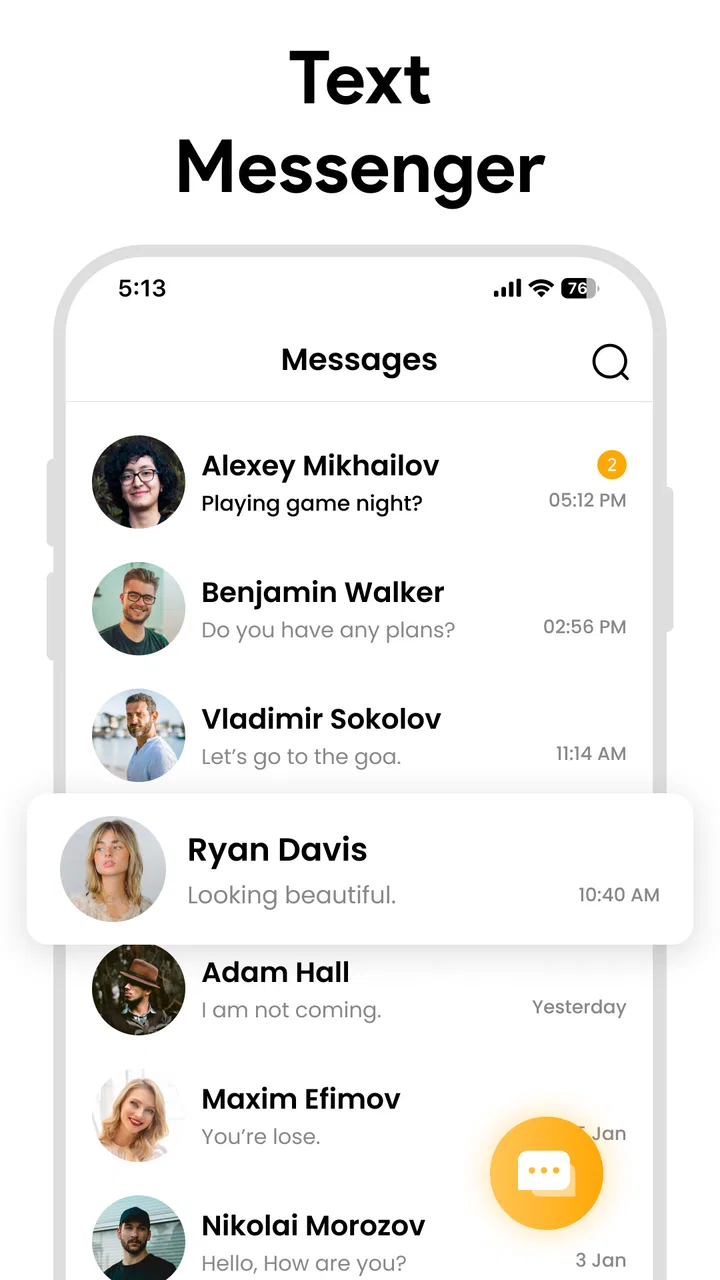
Messages - SMS Messenger
- 4.5
- Rating
- 1.00M
- Installs
- Free
- Price

 Analysis by App-foxy
I approached Messages - SMS Messenger as a practical communication app rather than as a replacement for every messaging service on my phone. Its purpose is straightforward: handling SMS and MMS conversations while adding emojis, GIFs, stickers, and group chats to the familiar text-message format. That combination makes it easy to understand, but trust matters more here than flashy extras. A messaging app sits close to personal conversations, contact details, photos, and shared links, so I paid attention to what the app visibly lets me control and to the moments where I would want to slow down before sending something sensitive.
My overall impression is that this is a useful option for someone who wants a dedicated text messenger with a more expressive interface than a basic phone app. It is free, rated for Everyone, and available for devices running Android 8.0 or later. The developer is listed as Iphone keyboard, while the app itself is currently at version 1.2.5. Those details make it accessible to a broad range of Android users, including people who are not using the newest phone.
There is also a reasonable level of public interest around it: the listing shows an average rating of 4.5 from roughly twenty-eight thousand ratings and more than a million installs. I would not treat those figures as proof that it is the best choice for every conversation, but they do suggest that the basic experience has worked for a substantial audience. The more important question is whether its visible controls and everyday behavior match the way you communicate.
You May Also Like

 Google Keep - Notes and lists
Google Keep’s Quiet Growth Shows the Appeal of Simpler Notes
As mobile work gets busier, Google Keep keeps winning a simple contest: capture a thought quickly, find it later, and get on with the day.

 Blood Strike: 2.5 Anniversary
Blood Strike’s Loadouts Turn Every Drop Into a Tactical Gamble
A close look at Blood Strike’s custom loadouts: how fast access to signature weapons reshapes its battle royale rhythm, rewards preparation, and narrows the gap between fights.

 Pandora - Music & Podcasts
Pandora’s Music Is Easy to Start, but Harder to Recover
Pandora’s strength is its low-effort path from a seed to a station. Its weak spot is how much confidence it asks you to place in connection, setup, and quiet recovery.

 8 Ball Pool
 Is Built on Rivalries, Rematches, and Routine
A close look at the rivalries, rematches, shared routines, and unanswered safety questions that turn a quick pool match into a persistent mobile community.

 Samsung Music
’s Quiet Strength Is Playing What You Already Own
Its reach comes less from spectacle than from dependable access to a personal library. That simplicity is both the app’s strongest retention engine and its ceiling.

 AccuWeather: Weather Radar
AccuWeather Review: A Quick, Clear Forecast for Everyday Decisions
For everyday plans, the best forecast is the one you can understand quickly. AccuWeather makes rain timing, radar, and local conditions easy to act on, with a few trade-offs.
More From Our News Desk



How I judged the app’s trust and everyday usefulness
I judge a messaging app not only by how quickly I can send a text, but by whether its everyday controls help me avoid mistakes and keep conversations in the right place. In the next section, I’ll look at the practical checks I would make before relying on it, including how small choices around recipients, notifications, and message type can make routine texting more dependable.
A familiar starting point for ordinary texting
The first thing I noticed is that Messages - SMS Messenger does not ask me to learn an entirely new communication habit. The central task remains choosing a conversation, writing a message, and sending it through the phone’s messaging system. That familiarity is valuable for people who need to stay in touch with relatives, service providers, schools, delivery drivers, or contacts who do not use the same internet-based chat platform.
Its added visual tools make the writing screen feel less plain. Emojis are useful when a short text might otherwise sound abrupt, while GIFs and stickers give casual conversations more personality. Group messaging is also important because it keeps a family plan, event discussion, or small work exchange in one thread instead of splitting the conversation across several apps.
Still, I would not confuse a richer interface with a completely different type of messaging service. SMS and MMS have their own practical limits, and the quality of a conversation can depend on the phone network, the recipient’s device, and how media is handled between carriers. If your priority is a modern internet chat platform with extensive account-based features, this app may feel more basic than WhatsApp, Signal, Telegram, or another service built around online messaging.
What the visible controls mean in practice
My preferred way to evaluate a communication app is to look at user choice rather than assume that a privacy label tells the whole story. With this app, I would begin by checking the permission prompts shown during setup and deciding whether each requested access makes sense for the task I want to perform. I would avoid granting anything automatically, especially if I only plan to send simple text messages.
That approach is particularly useful with a messenger because the app may need access connected to contacts, notifications, or media in order to provide convenient functions. I would make those decisions from the Android permission screen and revisit them later through system settings if my needs changed. The safest habit is to grant only the access needed for the conversation you are actually having.
I would also review the app’s notification behavior before using it for private conversations. A message preview on a locked screen can reveal more than intended to someone nearby. Android gives users ways to reduce or hide notification content, and that setting is worth checking instead of assuming the messenger will make the choice for you.
Account controls deserve the same careful treatment. SMS apps are often tied to the phone number and the device rather than to a separate social profile, so moving to a new phone, changing the default messaging app, or resetting a device can affect how smoothly conversations continue. Before making a major device change, I would confirm which app is set as the default for SMS and make sure I understand how my existing messages are being handled.
Where sensitive moments need extra care
The most important trust test is not sending “Running late” to a friend. It is deciding what to do when a conversation includes a password, a one-time verification code, an identity document, a financial detail, or a private photograph. I would not use an ordinary SMS thread for secrets simply because the app includes a secure-sounding description. The word “secure” should not make me assume that every part of the communication has the same protection as a purpose-built encrypted service.
For highly sensitive discussions, I would choose a platform whose security model and account controls are clearly suited to that purpose, and I would confirm that the recipient is using the intended service. Messages - SMS Messenger is more appropriate for routine communication where the convenience of standard texting matters. That includes appointment reminders, family coordination, short updates, and conversations with people who may not have the same messaging app installed.
Media deserves a separate check. GIFs and stickers are harmless in many chats, but MMS attachments can be more awkward than ordinary text, particularly when a recipient uses a different carrier or device. I would keep an eye on whether a message is being sent as SMS or MMS and avoid assuming that a large image will behave like an internet-chat attachment. If a photo is important, I would confirm that the other person received it before deleting the original.
Group conversations create another subtle trade-off. They are convenient for coordinating a birthday, school pickup, or weekend trip, but they also increase the chance that a message reaches someone who was not meant to see it. Before sharing personal information, I would check the participants and remember that a group thread can be copied, forwarded, or photographed by anyone in it. The app can make group communication easier; it cannot make the group itself trustworthy.
Small workflows that make the app more dependable
One useful workflow is separating expressive content from essential information. I might send the practical detail first, such as a meeting location or pickup time, and then add a sticker or GIF afterward if the conversation is casual. This reduces the chance that an attachment problem or slow media delivery obscures the information the recipient actually needs.
Another good habit is using contact names carefully before sending a group message. When several people have similar names, I would pause at the recipient selection stage and verify the members rather than relying on a quick tap. This is a small step, but it prevents one of the most uncomfortable messaging mistakes: sending a personal comment to the wrong person or adding an unintended contact to a private exchange.
I would also use the app’s visual extras selectively. Emojis can clarify tone, but too many can make a short instruction harder to scan. Stickers and GIFs are best for friends and family, while plain text is usually clearer for work, appointments, and practical arrangements. The app gives me more ways to express myself, but good communication still depends on choosing the right format for the audience.
A final workflow involves checking the default-app setting after installation or after a system update. If another messenger is configured as the phone’s default, I would not assume that every new SMS will appear in the same place. Confirming the default choice early avoids missed conversations and makes it easier to understand which app is responsible for incoming and outgoing texts.
Who will get the most from it
I think this app is a good fit for Android users who want one comfortable place for standard texts and multimedia messages, especially if they like adding emojis, GIFs, stickers, or group discussions without moving every contact to a new platform. It is also suitable for households with mixed devices and messaging habits, where SMS remains the common denominator.
Someone using an older Android phone may appreciate the broad operating-system support. A person who mainly sends short texts may also like the uncomplicated purpose. Because it is free, trying it does not require a purchase decision, although the real cost of messaging can still depend on the user’s mobile plan and carrier arrangements rather than on the app itself.
I would be more cautious about recommending it to someone whose main requirement is end-to-end encrypted communication, detailed account recovery, cross-device conversation history, or a large online community built around channels and groups. Those needs point toward services designed specifically for internet messaging. I would also hesitate if a user dislikes media-heavy conversations or wants a minimalist inbox with no decorative extras.
How it compares with the usual alternatives
Compared with a phone’s most basic stock SMS application, Messages - SMS Messenger is more appealing when presentation and expression matter. The inclusion of GIFs, stickers, emojis, and group messaging gives casual conversations more flexibility than a bare text interface. That is its clearest advantage for everyday use.
Compared with internet-first messengers, its strength is reach. Standard texting can contact people who have not installed the same service or created an account there. The trade-off is that SMS and MMS do not necessarily provide the same experience across networks, and the app should not automatically be treated as a substitute for a privacy-focused messenger.
Compared with Signal, I would choose Signal for conversations where strong privacy expectations are central and where everyone involved is willing to use it. Compared with WhatsApp or Telegram, I would choose those services when I need their broader online ecosystems and account-based communication features. I would choose this app when the practical goal is ordinary phone-number messaging with a friendlier visual layer.
What I would check before making it my default
Before relying on it for all my conversations, I would send a few plain texts, an image, and a group message to people I know. I would check how quickly each appears, whether media is received correctly, and whether notifications reveal more content than I want displayed. This short trial is more useful than judging the app only by screenshots or by the presence of a long feature list.
I would then open Android’s permission manager and notification settings. I would confirm that the app has only the access I am comfortable with, decide whether previews should appear on the lock screen, and note how to revoke access later. These choices are not one-time declarations of trust; they are settings I can review as my use changes.
I would also tell family members what kind of information belongs in the thread. For example, I would use it for arrival updates and shopping lists, but move account credentials or sensitive documents to a more appropriate channel. That simple boundary makes the app safer to live with because it prevents convenience from quietly becoming a reason to overshare.
My cautious verdict after using it
Messages - SMS Messenger is a practical communication app with a clear everyday role. It makes standard SMS and MMS feel more expressive by adding familiar visual tools, and its group support helps with the ordinary coordination that fills most people’s phones. The 4.5 average and audience of over a million installs suggest that it has found a place with many Android users, but I would still make my decision based on my own messaging habits and the controls visible on my device.
I like it most as a convenient front end for routine texting, not as a universal answer to privacy, media sharing, or online community needs. Its free price and Everyone rating lower the barrier to trying it, while support for Android 8.0 and later makes it viable on a wide range of phones. Those are useful practical advantages, but they do not remove the need to think about permissions, notification previews, recipients, and the sensitivity of the content being sent.
My recommendation is therefore measured: try it if you want a more colorful SMS and MMS experience and are comfortable keeping sensitive conversations elsewhere when necessary. Skip it in favor of a dedicated encrypted messenger if privacy is your first concern, or choose a broader internet chat platform if cross-device features and online groups matter more than traditional texting. For the right user, its real value is controlled convenience rather than a promise that one app can solve every communication problem.
FAQs for Messages - SMS Messenger
01What features does Messages - SMS Messenger offer?
Messages - SMS Messenger provides a comprehensive platform for sending and receiving SMS messages. It includes features like customizable themes, emoji support, group messaging, and message scheduling. Additionally, it offers a user-friendly interface and secure end-to-end encryption to ensure privacy. The app also supports multimedia sharing, allowing users to send images and videos.
02Is Messages - SMS Messenger secure for personal communication?
Yes, Messages - SMS Messenger prioritizes user privacy and security with end-to-end encryption, ensuring that your messages are only accessible by you and the intended recipient. The app uses robust security protocols to protect your data, making it a reliable choice for secure personal communication without worrying about unauthorized access.
03Can I customize the appearance of Messages - SMS Messenger?
Absolutely, Messages - SMS Messenger allows extensive customization to enhance user experience. You can choose from a variety of themes, adjust font sizes, and select different color schemes to match your personal style. The app’s customization options enable users to create a messaging environment that feels personalized and engaging.
04Does Messages - SMS Messenger support multimedia messages?
Yes, Messages - SMS Messenger supports multimedia messages, allowing users to send images, videos, voice notes, and more. This feature enhances communication by enabling users to share rich media content easily. The app ensures that sending and receiving multimedia is seamless and maintains high quality, making it versatile for various communication needs.
05Are there any in-app purchases or hidden fees in Messages - SMS Messenger?
Messages - SMS Messenger is free to download and use, with no hidden fees or mandatory in-app purchases. While the core functionalities are available for free, the app may offer optional premium features or themes for users who wish to enhance their experience further. However, these are not necessary for the app's basic operation.
Pros
- User-friendly interface for easy navigation.
- Supports group messaging efficiently.
- Customizable themes and colors.
- Fast message delivery and notifications.
- Integrates with various social apps.
Cons
- Limited multimedia sharing options.
- No end-to-end encryption.
- Ads can be intrusive.
- Lacks advanced search features.
- Some features require in-app purchases.

Messages - SMS Messenger
Gallery